Galaxy Note 2 stands as a landmark in smartphone evolution, captivating tech enthusiasts with its blend of innovative design and robust functionality. Released as a significant upgrade in the Galaxy Note series, this device boasts impressive specifications that marked a shift in user expectations for mobile devices.
With a design that merges elegance and practicality, the Galaxy Note 2 features premium materials and a large display that enhances user interaction. As we delve deeper, we’ll explore its performance, camera capabilities, and the accessories that elevate the user experience, highlighting its pivotal role in the smartphone landscape.
Overview of the Galaxy Note 2

The Galaxy Note 2, released by Samsung in 2012, marked a significant evolution in the smartphone landscape, blending the functionalities of a tablet and a phone into a single device. This smartphone was celebrated not only for its impressive hardware but also for its unique features that catered to both productivity and entertainment. With the introduction of the S Pen, the Note 2 elevated the user experience, making it a powerful tool for creative and professional applications.
The Galaxy Note 2 features a 5.5-inch Super AMOLED display with a resolution of 1280 x 720 pixels, delivering vibrant colors and deep contrasts. Under the hood, it is powered by a quad-core Exynos 4412 processor, paired with 2GB of RAM, enabling smooth multitasking and robust performance. The device came equipped with a 3100mAh battery, providing extended usage time, and offered storage options ranging from 16GB to 64GB, expandable via a microSD card slot. The rear camera boasts an 8-megapixel sensor with capabilities for Full HD video recording, while the front camera is a 1.9-megapixel shooter, suitable for video calls and selfies.
Design Elements and Materials
The design of the Galaxy Note 2 is characterized by its sleek and modern aesthetic, combining functionality with elegance. The device features a plastic back cover, which helps keep the weight low while maintaining durability. The overall dimensions are 151.1 x 80.5 x 9.4 mm, making it slightly larger than its predecessor, yet still ergonomic enough for comfortable one-handed usage.
The front of the device is dominated by the expansive display, framed by minimal bezels, which maximizes the screen real estate. The home button is centrally located beneath the display, flanked by capacitive navigation keys on either side, providing a familiar layout for Android users. The textured rear cover not only enhances grip but also adds a level of sophistication to the device’s overall appearance.
The Galaxy Note series has undergone considerable evolution since its inception, with the Note 2 serving as a pivotal point in its development. The original Galaxy Note, released in 2011, introduced the concept of a “phablet,” while the Note 2 refined this idea with an improved design, enhanced S Pen functionality, and better overall performance. With each iteration, Samsung focused on increasing screen size, optimizing user experience, and integrating advanced technology, paving the way for future models that would push boundaries further.
Performance and User Experience
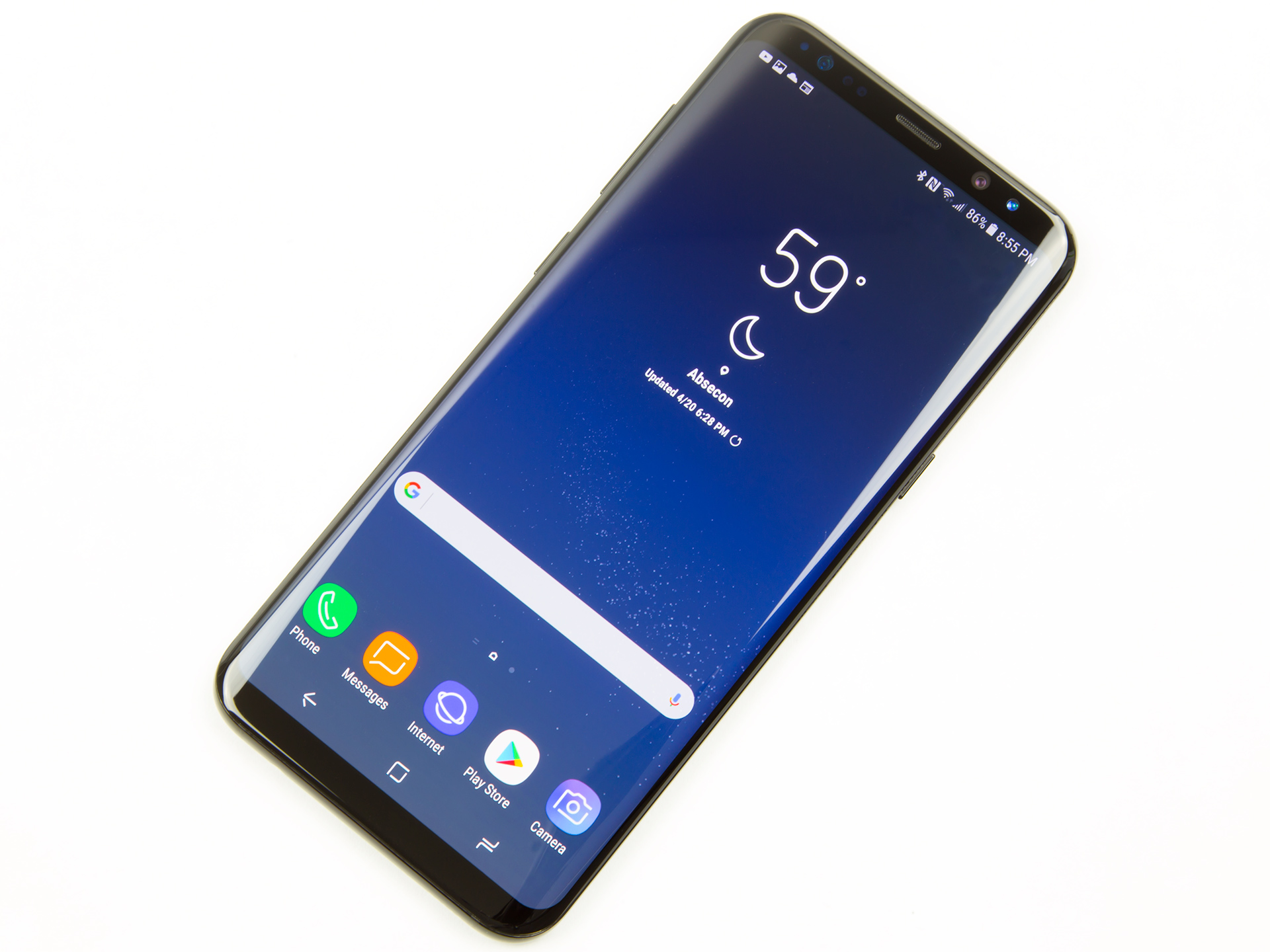
The Galaxy Note 2, released in 2012, quickly gained acclaim for its performance and user experience, setting a high bar for subsequent devices in the phablet category. With a robust set of features and hardware designed to optimize daily tasks, it emerged as a reliable companion for both productivity and entertainment.
The device is powered by a quad-core 1.6 GHz Cortex-A9 processor and features 2GB of RAM, which ensures smooth multitasking capabilities. Users can seamlessly switch between demanding applications without significant lag. Whether browsing the web, playing graphics-intensive games, or utilizing productivity apps, the Galaxy Note 2 delivers a performance that consistently impresses. This makes it well-suited for a variety of daily use scenarios, including work-related tasks and leisure activities.
User Interface and Software Features
The Galaxy Note 2’s user interface is built on Android 4.1 (Jelly Bean) with Samsung’s TouchWiz overlay, enhancing usability through a variety of thoughtful features. Some notable software enhancements include:
– S Pen Integration: The S Pen stylus elevates the user experience by allowing precise input for tasks like note-taking, sketching, and navigating the interface. Users can easily jot down notes or annotate documents directly on the display.
– Multi-Window Functionality: With this feature, users can run two applications side-by-side, making multitasking more efficient. For instance, one can watch a video while browsing the web simultaneously.
– Smart Stay: This feature uses the front-facing camera to detect whether the user is looking at the screen, preventing it from dimming or turning off during use.
– Air View: Users can hover the S Pen over items on the screen to preview content such as messages or images without needing to open them.
These features significantly enhance the usability of the Galaxy Note 2, making it not just a smartphone but a versatile tool for various tasks.
Comparison with Similar Devices
When benchmarked against other devices released during the same period, such as the HTC One X and LG Optimus G, the Galaxy Note 2 showcases superior performance. The following points highlight its advantages:
– Processing Power: The quad-core processor in the Note 2 outperforms the dual-core processors found in many of its contemporaries, leading to faster processing and better handling of demanding applications.
– Display Quality: With a 5.5-inch Super AMOLED display, it offers vibrant colors and deep contrasts, surpassing the displays of many similar devices that often used LCD technology.
– Battery Life: The Galaxy Note 2 is equipped with a 3100 mAh battery, providing longer usage times compared to competitors like the HTC One X, which has a smaller battery capacity.
Overall, the Galaxy Note 2 stands out due to its combination of powerful hardware, innovative software features, and user-friendly interface, offering a compelling user experience that remains relevant even against newer devices.
Camera Capabilities

The Galaxy Note 2 is equipped with a robust camera system that enhances the overall user experience, making it a strong contender in the smartphone market for photography enthusiasts. This device boasts impressive specifications and features aimed at capturing stunning images and videos in various settings.
The primary camera of the Galaxy Note 2 features a 8-megapixel sensor, supported by an LED flash and capable of recording Full HD 1080p video. With a dual-core processor, the camera’s interface is swift and responsive, allowing users to focus quickly and capture moments without lag. The camera also includes features such as autofocus, geo-tagging, and a range of shooting modes, such as burst shot and panorama, which further enhance its usability.
Performance in Various Lighting Conditions
The camera’s performance significantly varies with lighting conditions, showcasing its versatility. The following points highlight the camera’s ability to adapt:
– Bright Light: In well-lit environments, the Galaxy Note 2 excels with vivid colors and sharp details. The images show little to no noise, with excellent clarity and dynamic range. Captured photos often reflect a vibrant color palette that makes subjects pop, making it ideal for daytime photography.
– Low Light: When faced with low light scenarios, the camera struggles slightly, as is common with many smartphone cameras. While the LED flash can illuminate subjects, it may introduce harsh shadows or overexposure in some cases. However, the camera’s low-light performance is still commendable, with images retaining a fair amount of detail and acceptable noise levels.
– Mixed Lighting: In situations with both bright and dim areas, such as sunset shots or indoor environments with windows, the camera manages to balance exposure fairly well. The HDR mode helps enhance details in both shadows and highlights, providing a more even exposure.
“The Galaxy Note 2 manages to deliver quality images that can compete with dedicated compact cameras, particularly in favorable lighting.”
The video recording capabilities of the Galaxy Note 2 are also noteworthy. With Full HD 1080p recording, users can capture moments with smooth playback and decent audio quality. The ability to shoot at 30 frames per second ensures that videos appear fluid, whether it’s for personal memories or professional content creation. Within the video recordings, colors are rich, and details are maintained, making it suitable for casual videography.
In summary, the camera capabilities of the Galaxy Note 2 stand out in its class. It not only delivers strong performance in various lighting but also offers a range of features that cater to different photography needs. Whether for still images or video, this device continues to impress users with its photographic prowess.
Accessories and Customization
The Galaxy Note 2 is renowned not only for its impressive features but also for the variety of accessories and customization options that enhance its usability and aesthetics. These accessories can elevate the overall experience, providing convenience, protection, and personalization to suit individual tastes and needs.
When considering accessories for the Galaxy Note 2, users have a range of options that can significantly improve functionality and style. From protective cases to productivity-enhancing peripherals, the right accessories can transform how users interact with their device.
Popular Accessories for the Galaxy Note 2
The availability of accessories for the Galaxy Note 2 is extensive, and selecting the right ones can greatly enhance the user experience. Below are some of the popular accessories worth considering:
- Screen Protectors: To safeguard the device’s display from scratches and cracks, tempered glass or film protectors are essential.
- Protective Cases: Options range from slim cases to rugged covers, providing varying levels of protection against drops and impacts.
- S Pen Accessories: Additional tips and holders for the S Pen can improve usability and keep the stylus readily accessible.
- Car Mounts: For users who frequently travel, car mounts make navigation and hands-free communication easier and safer.
- Portable Chargers: Extra battery packs or charging cases ensure that the device remains powered throughout the day, especially during heavy use.
Customization Options for the Galaxy Note 2
The Galaxy Note 2 offers a variety of customization options that allow users to personalize their devices according to their preferences. Enhancing both the look and functionality of the device can create a unique user experience.
The customization options include:
- Skins: Vinyl skins can provide a fresh look while adding a layer of protection. Users can choose from different colors, textures, and patterns to express their style.
- Cases: Beyond protection, cases come with different materials, designs, and functionalities, such as wallet cases that also hold cards and cash.
- Themes: Various themes are available for download, enabling users to change the appearance of the user interface, including icons and backgrounds.
- Widgets: Users can customize the home screen with widgets that display information such as weather, calendar events, and social media updates, tailoring the interface to their needs.
Must-Have Apps to Enhance the Galaxy Note 2 Experience
To further enhance the functionality of the Galaxy Note 2, several apps can provide significant benefits. The following table lists essential applications that users should consider downloading:
| App Name | Functionality |
|---|---|
| Evernote | Note-taking and organization tool, ideal for syncing notes across devices. |
| Adobe Acrobat Reader | Allows users to view, edit, and annotate PDF documents on the go. |
| Microsoft OneNote | A versatile note-taking app that integrates well with other Microsoft products. |
| Google Drive | Cloud storage solution for easy access to files from multiple devices. |
| Tasker | Automation app that enables users to create custom tasks and workflows based on different triggers. |
FAQ Resource
What is the battery life of the Galaxy Note 2?
The Galaxy Note 2 features a 3100 mAh battery, providing a full day of usage under typical conditions.
Can the storage of the Galaxy Note 2 be expanded?
Yes, the Galaxy Note 2 supports microSD cards, allowing users to expand storage up to 64GB.
Is the Galaxy Note 2 water-resistant?
No, the Galaxy Note 2 does not have an official water-resistant rating.
What operating system does the Galaxy Note 2 run on?
Initially, the Galaxy Note 2 shipped with Android 4.1 Jelly Bean but can be updated to later versions.
Are there any unique features in the Galaxy Note 2?
The Galaxy Note 2 features the S Pen, which allows for precise input and enhances productivity through various applications.
The Samsung S 19 is making waves in the smartphone industry with its cutting-edge technology and sleek design. It’s a must-have for tech enthusiasts who want the latest features available. Meanwhile, its predecessor, the Galaxy S 7 , still holds its ground with impressive performance, proving that even older models can compete in today’s market.
When discussing flagship smartphones, the Galaxy S 7 often comes up due to its robust features that garnered much praise upon release. However, the new Samsung S 19 takes things a step further with enhanced capabilities and innovative technology, making it a strong contender for anyone looking to upgrade their mobile experience.